


Most productivity articles online are packed with affiliate links and exaggerated claims. They promise life-changing results but rarely reflect how real professionals work day to day. This guide is different. Every tool mentioned here is something we actively use in our own workflows. There are no sponsors, no commissions, and no incentives to recommend anything we wouldn’t rely on ourselves.
The goal of productivity tools isn’t to do more work, it’s to remove friction, protect focus, and make execution easier. The tools below help us plan clearly, collaborate efficiently, and stay consistent without adding unnecessary complexity.
Notion functions as our central operating system. We use it to manage projects, document processes, plan content, and track long-term goals. Its strength lies in flexibility, allowing us to combine notes, tasks, and databases in one place. While the learning curve can feel steep at first, the payoff is a single source of truth that replaces multiple disconnected tools.
Slack is our primary communication platform, especially for fast decision-making and team coordination. It significantly reduces email dependency and keeps conversations organized by topic. However, without clear boundaries and notification rules, it can quickly become distracting. Used intentionally, it improves speed and alignment across teams.
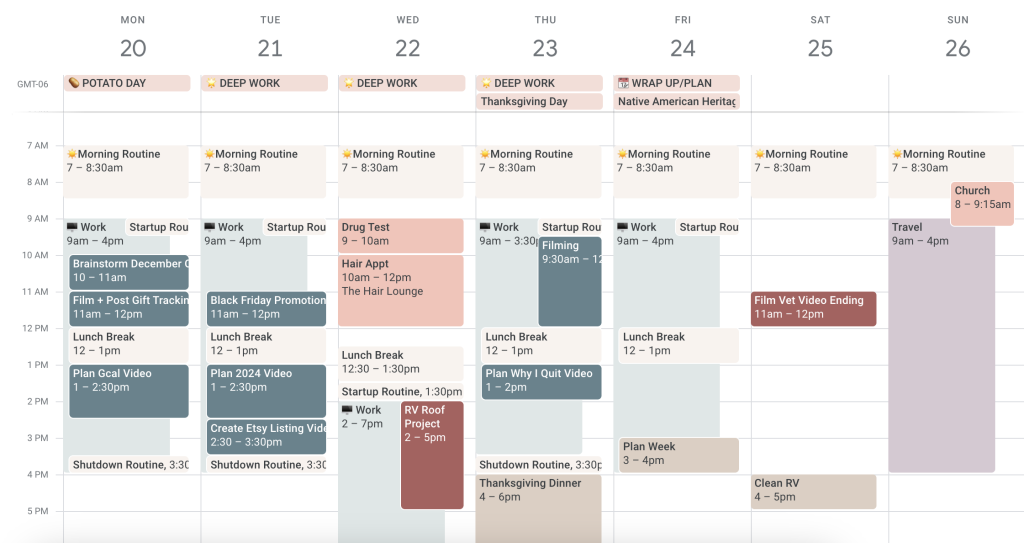
Google Calendar plays a critical role in how we protect time. Rather than treating it as a simple scheduling tool, we use it for time blocking and prioritization. By assigning work to specific time slots, it becomes easier to focus and avoid overcommitting. While it doesn’t manage tasks directly, it excels at making time visible and finite.
Trello remains one of the simplest and most effective tools for visual task management. We use it for lightweight projects and personal workflows where clarity matters more than complexity. Its Kanban-style boards make progress easy to see, though it’s not ideal for large teams or highly interdependent projects.
ChatGPT has become an everyday thinking and writing assistant. We use it to draft outlines, clarify ideas, summarize research, and overcome creative blocks. It doesn’t replace expertise, but it dramatically reduces the time spent staring at a blank page. The quality of results depends heavily on how clearly you ask questions and review outputs.
RescueTime provides an honest look at how time is actually spent. By tracking activity automatically, it highlights distractions and reveals patterns that are easy to overlook. While it can feel uncomfortable at first, it’s one of the most effective tools for building self-awareness and improving focus over time.
Together, these tools form a practical productivity stack that emphasizes execution over experimentation. We rely on Notion for structure, Slack for communication, Google Calendar for time control, Trello for flow, ChatGPT for thinking support, and RescueTime for accountability. None of them are perfect, but each earns its place through consistent use.
Productivity isn’t about collecting tools, it’s about building systems that support how you actually work. The best setup is the one that reduces friction, protects your energy, and helps you show up consistently. Tools should serve your workflow, not complicate it.
If you’re tired of sponsored recommendations and surface-level reviews, this approach focuses on what truly matters: clarity, consistency, and real output.